
Intra-office communications, solved!
Introducing PawPosts ·
for veterinary clinics using ezyVet
Your one-stop shop for in-the-clinic messaging— with the right patient attached.
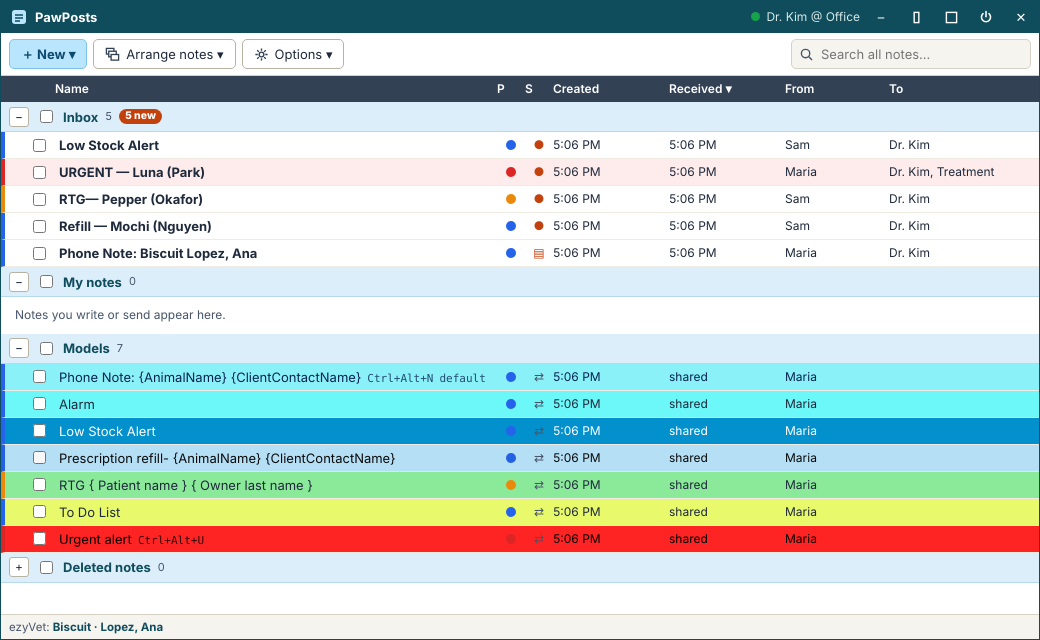
PawPosts sends floating notes between the workstations in your clinic. The pet and owner come straight from ezyVet, replies and messages stay with the note, and finished notes can be saved back into the patient’s record.
No credit card for the trial. Notes stay on your clinic’s own network.
Sticky notes get lost. Shouting down the hall doesn’t scale.
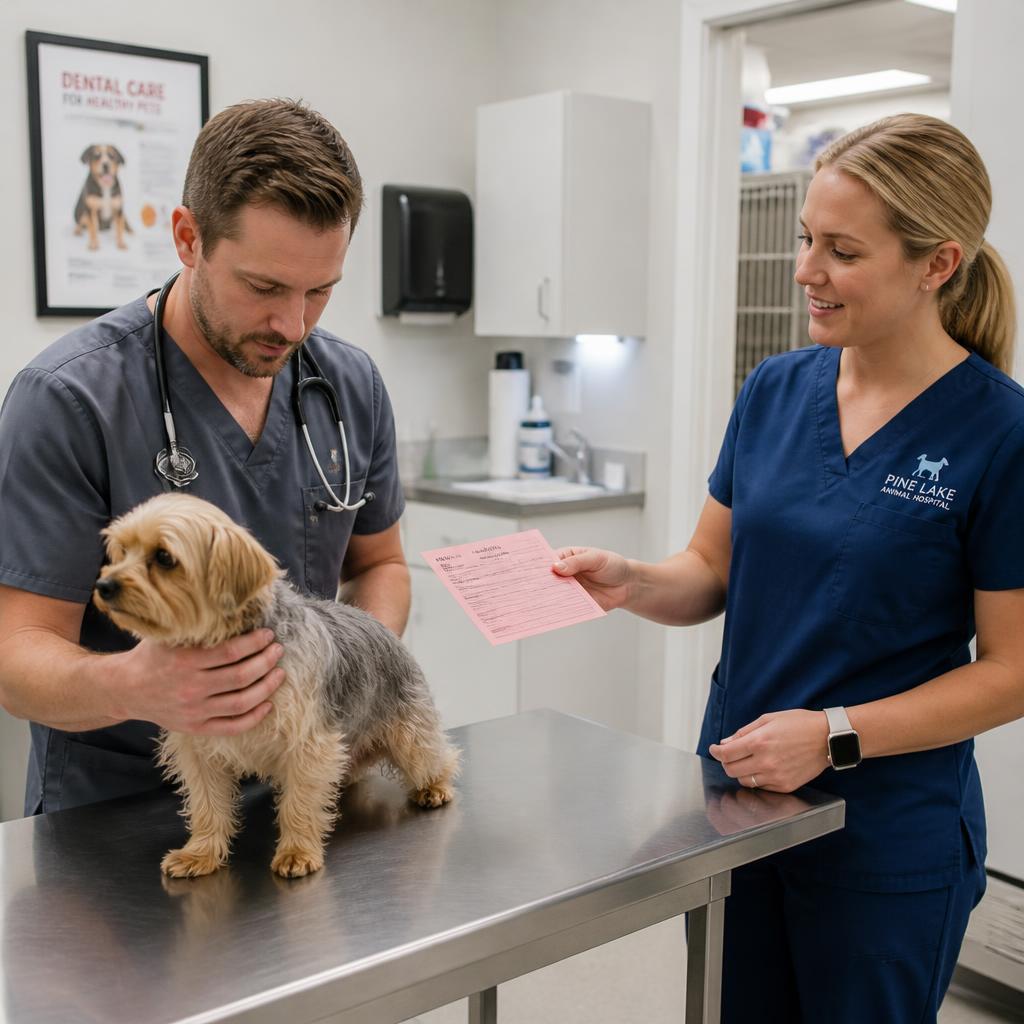
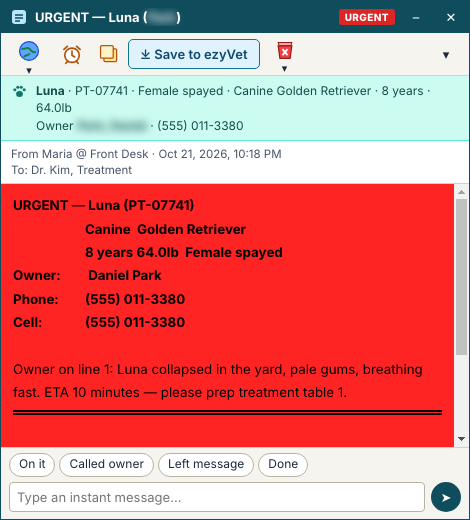
A phone message for the doctor, a refill to approve, radiographs ready to read, a patient crashing in the parking lot — every clinic passes dozens of these a day. They get written on scraps, typed into the wrong place, or lost when someone steps away.
- PawPosts puts each one in a note that pops up on the right screen, shows who sent it and who has opened it, keeps the conversation together, and doesn’t go away until someone deals with it.
- Entries written once in Communications tab are automatically transferred to notes.
- Entries written in notes can be saved back to the communications Tab.
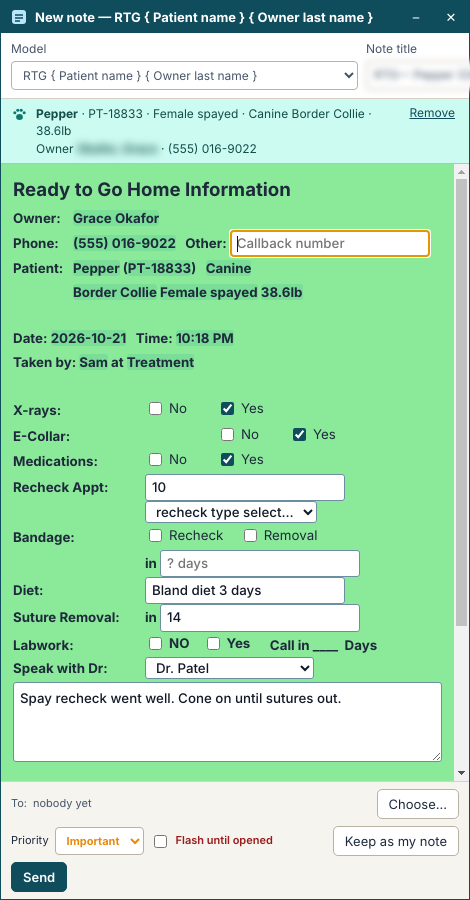
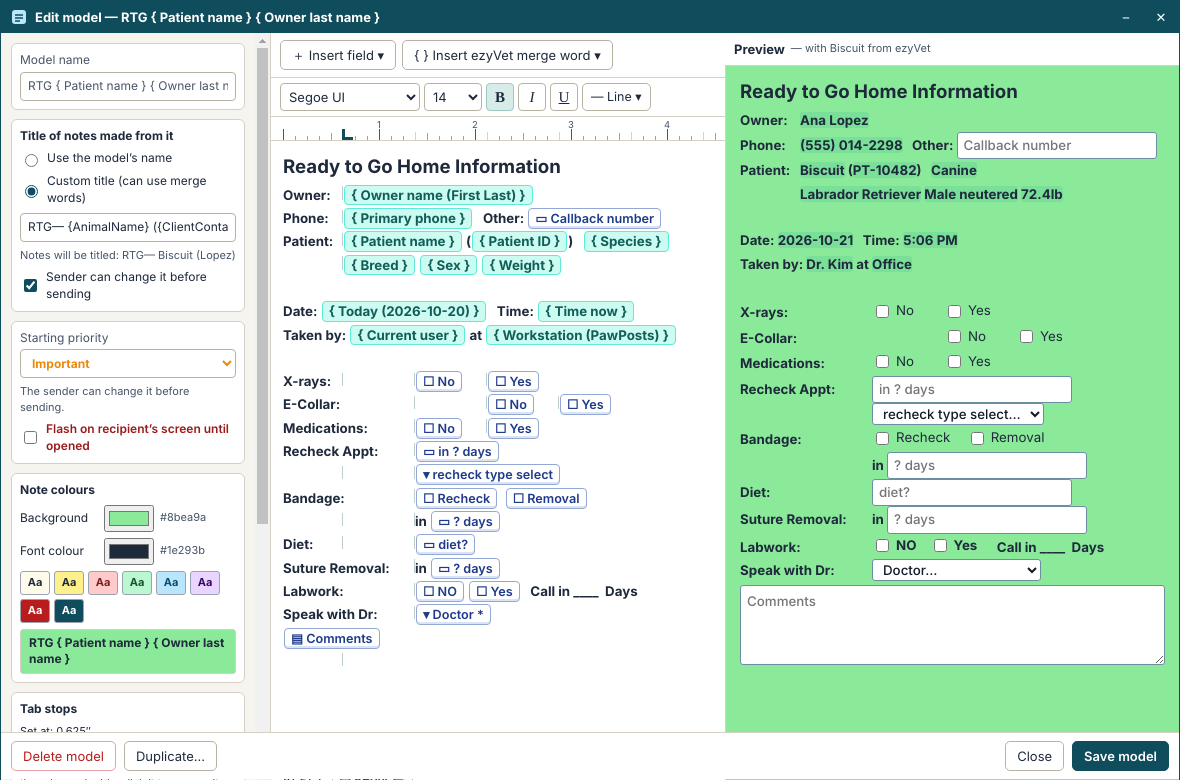
- Unlimited note templates to define once and use indefinitely
From the front desk to the doctor, without leaving your chair

At the front desk
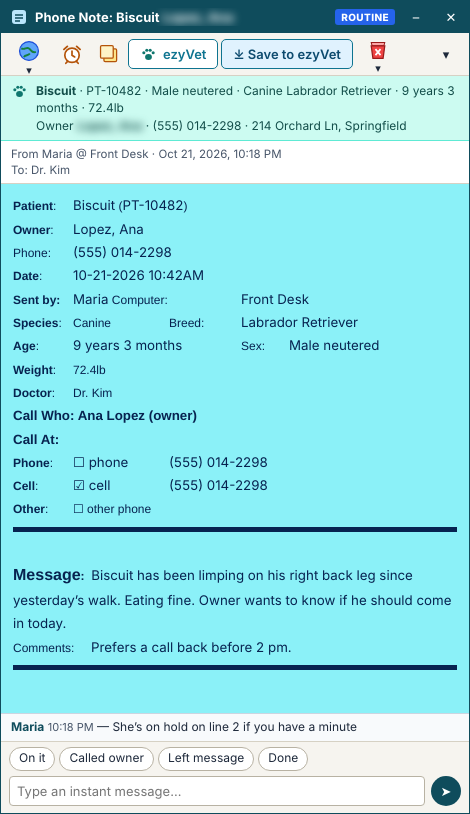
One client at the counter, another on the phone. Press Ctrl+Alt+N and a phone-call note opens with the pet and owner already filled in from ezyVet. Type the question, pick the doctor, send — and get back to the person in front of you.
At the doctor’s desk
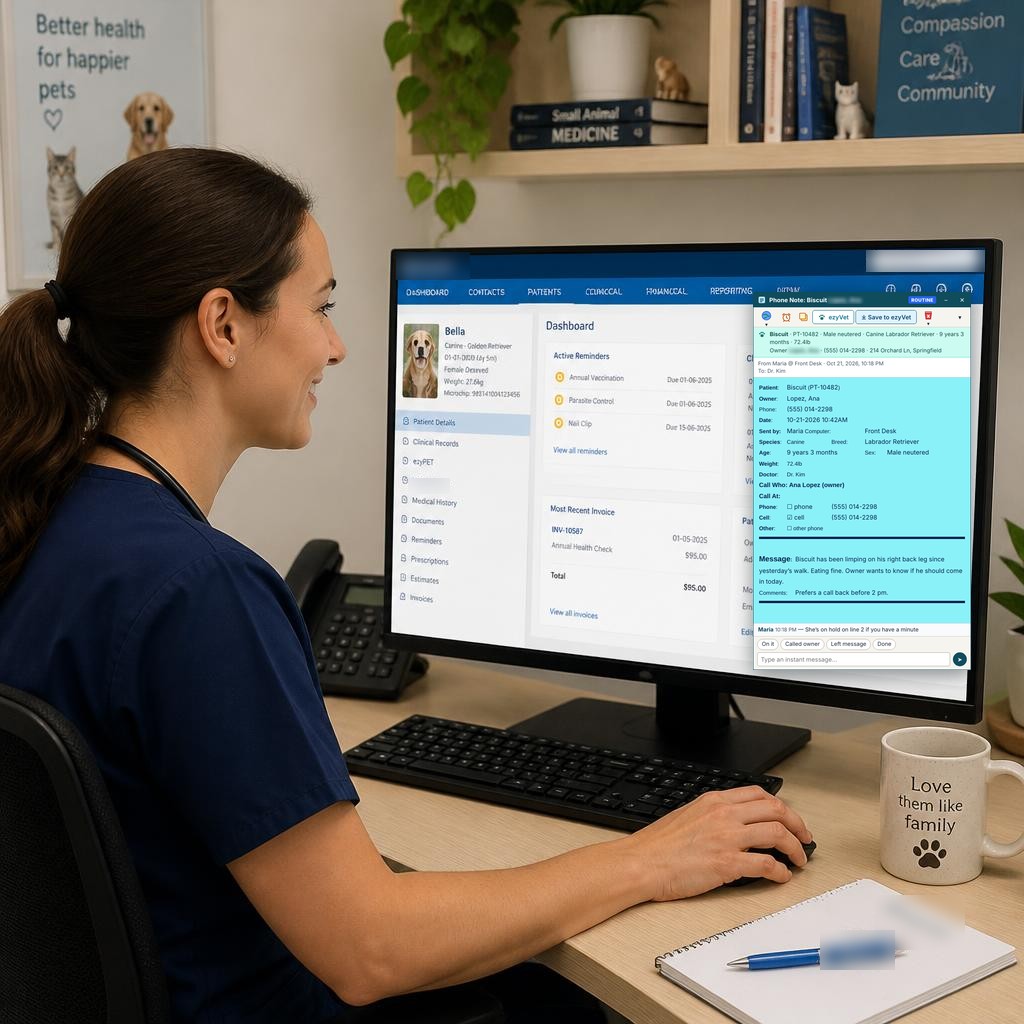
The note floats over the charts she’s working on. She types her answer in the reply box, and the front desk sees it the moment it’s saved — no walking down the hall.
Everything a clinic note needs
Every feature is included in every plan.
Up and running in an afternoon
Install on each workstation
One installer. Pick the PC that stays on all day as the hub — the others find it on your network.
Add the Chrome extension
It reads the patient you have open in ezyVet and hands it to PawPosts on the same PC — nothing goes out to the internet.
Start sending
Starter models are ready to use. New versions arrive on the hub and every workstation updates itself.
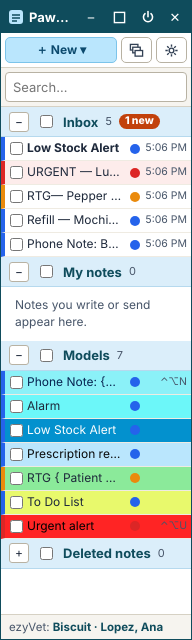
Stays out of the way
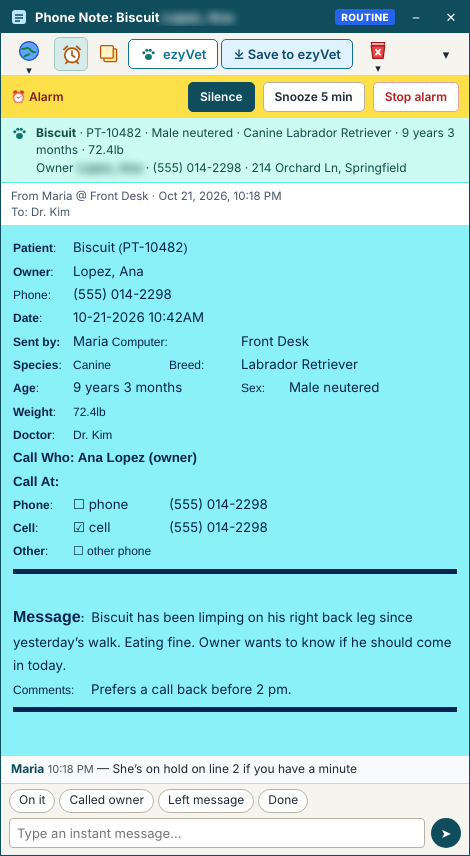
PawPosts lives in a small floating bar on top of your screen. Double-click it for a slim window beside ezyVet; triple-click for full screen. The bar flashes when something urgent arrives.

Your notes stay in your clinic
Notes, patients and messages travel only between the PCs on your own network and are stored on your hub PC. We never see them.
Simple yearly pricing
Priced by the number of workstations. Every feature and every update included. Try it free for 30 days.
What clinics say
PawPosts is new. Reviews from clinics using it will appear here as they come in — every one from a real, licensed clinic.
Using PawPosts? Tell us how it’s going
Email your review to pawpostssupport@gmail.com. Reviews are checked with the clinic before they’re shown.
Questions
Do we need ezyVet?
PawPosts is built to work with ezyVet in Google Chrome, and that’s where it shines. Notes, messages, models and alarms work without it, but patients won’t be filled in automatically.
What computers does it run on?
Windows 10 and 11 PCs on the same clinic network. One of them — usually the front-desk PC that stays on all day — is the hub.
Does it need the internet?
No. Notes travel only across your own network, so PawPosts keeps working if the internet goes down. The internet is only used to download updates.
What counts as a workstation?
Each PC with PawPosts installed. Replace a PC and you can free its place from the hub. Any number of people can use each workstation.
What happens if our license runs out?
You get reminders well ahead and 14 days’ grace afterwards. After that you can still read every note and alarms still ring — only sending new notes pauses until you renew.
How do updates work?
New versions arrive on your hub automatically, and each workstation installs them when it’s idle — never in the middle of a note.
Try PawPosts free for 30 days
Full version, every workstation you need. No credit card. Email us and we’ll send the installer and help you set up.